


Use the Touch Bar
The Touch Bar shows you intuitive shortcuts and app controls when you need them.
Learn about Touch Bar
Use True Tone
True Tone makes the images on your Retina display appear more natural.
Learn about True Tone
Use the Blackmagic eGPU
Give your Mac added graphics power for VR creation, gaming, and more.
Learn about Blackmagic eGPU
Check your startup security
Use Startup Security Utility to make sure that your Mac always starts up from your designated startup disk, and always from a legitimate, trusted operating system.
Learn about startup security
Use Touch ID on MacBook Pro
With Touch ID on your MacBook Pro, you can quickly unlock your Mac and make purchases using your Apple ID and Apple Pay—all with your fingerprint.
Learn about Touch ID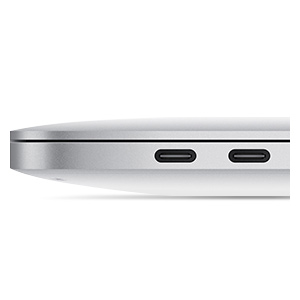
Find adapters for Thunderbolt 3 (USB-C) ports
If the cable from your external display, hard drive, camera, or other device doesn't connect to your Mac, you might need an adapter.
Learn about Thunderbolt 3
Use the Force Touch trackpad
Learn about the Force Touch trackpad, its features, and how to use it.
Learn about Force Touch trackpadSearch for more topics
Resources


AppleCare+ for Mac
Buy AppleCare+ within the first 60 days of purchasing your new Mac. You get up to 3 years of accidental damage coverage from Apple, the people who know your Mac best.


Have a question? Ask everyone.
The members of our Apple Support Community can help answer your question. Or, if someone’s already asked, you can search for the best answer.
Ask now
Want to talk with someone?
Get help with your MacBook Pro. Answer a few questions and we'll recommend a solution for you.
Contact Apple Support