
Nepal Police Report Online: OPCR Apply Guide 2026
Applying for a Police Report Online in Nepal (Police Clearance Certificate – PCC) is an essential step for jobs, visa applications, and immigration processes. Many applicants face confusion due to unclear instructions, document requirements, and the online application system. To simplify this, Nepal Police has introduced the OPCR portal, allowing users to apply, track, and download their police report online without visiting a police station.
This guide provides a complete and easy-to-follow process for applying for a police report online in Nepal, including required documents, fees, processing time, and status checking methods.
Read Also: License Print Check
My Experience Applying for Police Report Online in Nepal
When I applied for a Police Clearance Certificate (PCC) through the official OPCR Nepal Police portal, the process was mostly smooth but required careful attention to detail.
First, I created an account on the portal and filled in my personal information. The form was simple, but I noticed that even small mistakes (like name spelling or citizenship number) could lead to delays or rejection. Uploading documents was the most sensitive step — my first attempt was rejected because the scanned image was slightly unclear.
After correcting the documents and re-submitting, my application was successfully processed within 2–3 working days. I received a confirmation email, and I was able to download my police report online without visiting any police station.
From my experience, the most important things are the following:
Overall, the online system is reliable and saves a lot of time.
Why You Need a Police Report Online in Nepal
A Police Report Online in Nepal is important for legal verification, official documentation, and personal security purposes. In many cases, government offices and private organizations require a verified police report before processing applications.
Here’s why you may need it:
Required Documents for Police Report Online
Citizenship Requirements
Age Requirements
Applicants are generally required to be 18 years or older, though minors may need PCCs in specific cases, such as for immigration or guardianship purposes.
Legal Status
Applicants must ensure that:
Police Report Online Photo Size
The user image must be clear, with a plain background and both ears visible. The head must cover at least half of the image. The photo should have a width of 3.5 cm and a height of 4.5 cm.
Failure to meet these requirements may lead to application rejection.
Police Report Online Process in Nepal
You can apply for a police report online Nepal by following this simple, step-by-step process.
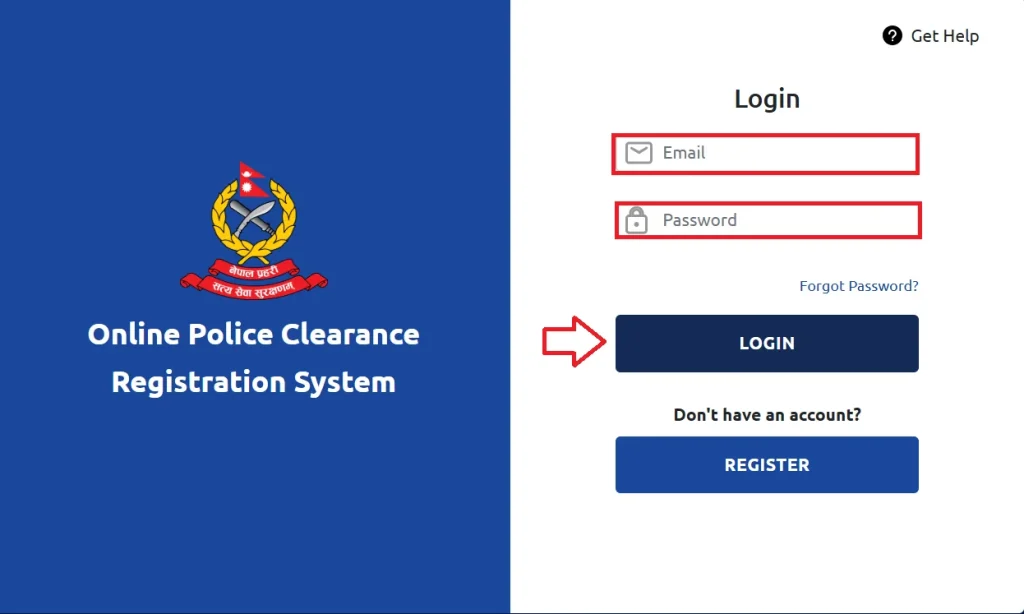


Note: Make sure all scanned documents are clear, unedited, and readable.


Police Report Online Via Video Guide
Nepal Police Report Process via Nagarik App
The Nagarik App also provides a simple and straightforward way to apply for a police report online.


Offline Nepal Police Report Process
Nepal Police Report Form
The Police Report Online Form allows individuals in Nepal to report lost items, theft, or complaints quickly. Users need to provide personal details and incident information. Accessible on the Nepal Police website, it makes reporting fast and convenient.
Police Report Online Price
Here is the overview of the police report online price.
| Application | NPR |
|---|---|
| Regular | 500 |
| Expedited | 1,500 – 2,000 |
Nepal Police Report Time
Police Report Online processing usually takes 2–3 days from the application date. During this time, authorities verify your details and records. Once approved, the report becomes available online for download or further official use.
Police Report Online Payment
Here is a simple guide to making your police report online payment.
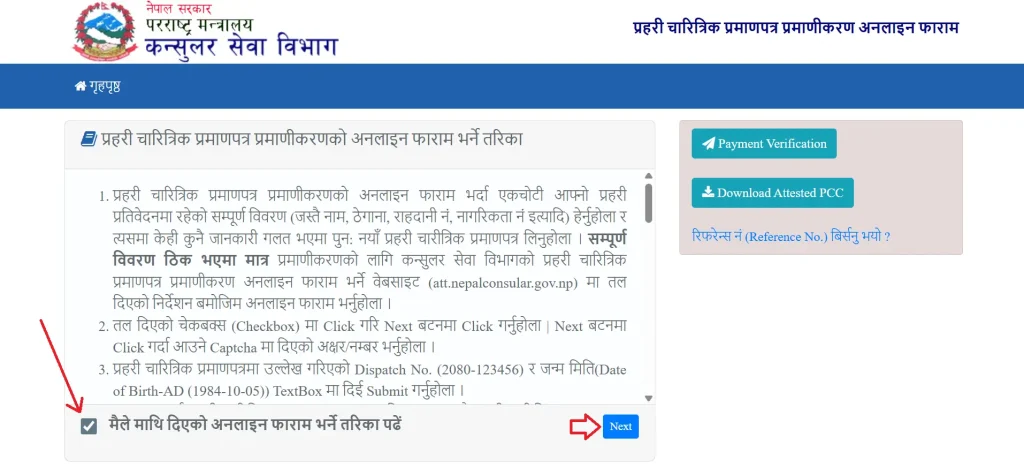


Police Report Nepal Download
To download your police report, follow these simple steps.
Police Report Online Check Process
Follow these simple steps to check your police report online.
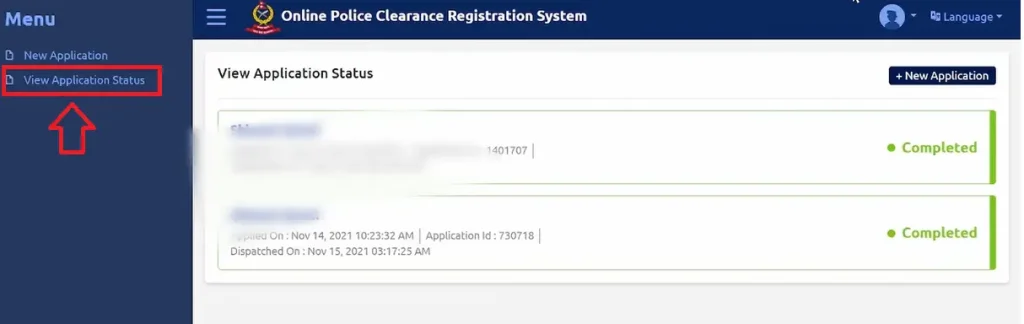
The three possible statuses are “In Progress,” “Approved,” and “Rejected.”
Police Report Online vs Offline in Nepal
Here is a quick comparison between online and offline police report methods in Nepal to help you choose the best option.
| Feature | Online Police Report (OPCR Portal) | Offline Police Report (Police Office) |
|---|---|---|
| Application Method | Apply through official Nepal Police website | Visit District Police Office (DPO) |
| Convenience | High – Apply from home | Low – Physical visit required |
| Processing Time | 2–3 working days | 1–3 days (may vary by location) |
| Accessibility | Available 24/7 | Limited to office hours |
| Tracking Status | Yes – Online tracking available | No proper tracking system |
| Document Submission | Upload scanned documents | Submit physical documents |
| Error Chances | Higher (upload mistakes possible) | Lower (staff guidance available) |
| Best For | Tech-savvy users & overseas applicants | Non-technical users & local applicants |
| Time Saving | Yes – Saves travel time | No – Requires travel & waiting |
| Overall Efficiency | Fast and modern process | Traditional but reliable |
Final Recommendation
For most users, the online police report system is the best option because it is faster, easier, and more accessible. However, if you face technical issues or are unsure about document submission, visiting a police office can be a safer choice.
Embassy Verification for Nepalese Abroad
If you are applying from outside Nepal, you can seek help from Nepalese embassies. Here’s how:
Common Reasons for Application Rejection
Tips for Successful Nepal Police Report Application
Police Report Online Nepal Contact Number
FAQs About Police Report Online
How long is a police report valid in Nepal?
A police report in Nepal is usually valid for six months, so plan your visa or job application accordingly to avoid expiry issues.
How many days does it take to get a police report?
Online: 2-3 working days
Offline: 1–3 days
Can I file a police report online in Nepal?
Yes, you can file certain police reports online in Nepal. Services like police clearance certificates, complaints, and cybercrime reports are available through official Nepal Police portals and mobile apps, reducing the need to visit police stations in person.
Conclusion
Nepal’s online police report system has greatly simplified the process of obtaining a police clearance certificate. It saves time, ensures fast processing, and provides easy tracking from home. By following the official steps and submitting accurate information, citizens and residents can efficiently access secure, authentic, and reliable law enforcement documentation.
Sources
All information shared on this website is obtained from official government websites.
OPCR (https://opcr.nepalpolice.gov.np/)
Nepal Police (https://www.nepalpolice.gov.np/)
Nagarik App

Subin Bhattarai 

I’m Subin Bhattarai, the author at policereportonlinenp.com. I write practical guides on Nepal police reports, legal notices, and related online processes. My aim is to simplify official information, helping readers understand and act with confidence.